
Hello everyone!
We're excited to introduce a brand new feature — Hunt Reports! Every logged-in user with a linked Tibia character can now submit their own hunt session data directly on any spawn page. Your reports help us continuously improve the quality of data we provide — and once reviewed by an admin, they become publicly visible to the entire community!
How to submit a Hunt Report — step by step:
🗺️ Step 1 — Find a spawn & open Submit Hunt Report
Navigate to any Hunting Place page on TibiaRoute. At the top of the page you'll find the Submit Hunt Report button — the orange document icon. Click it to open the submission wizard. The report is automatically tied to the spawn you're currently viewing.
 ⚔️ Step 2 — Choose Hunt Mode & your character
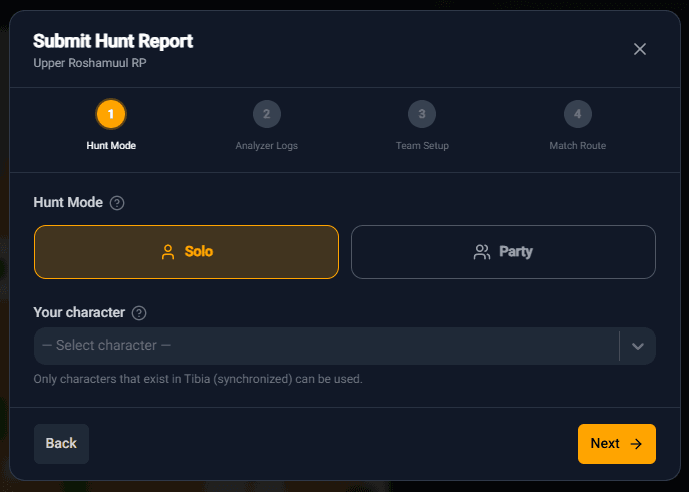
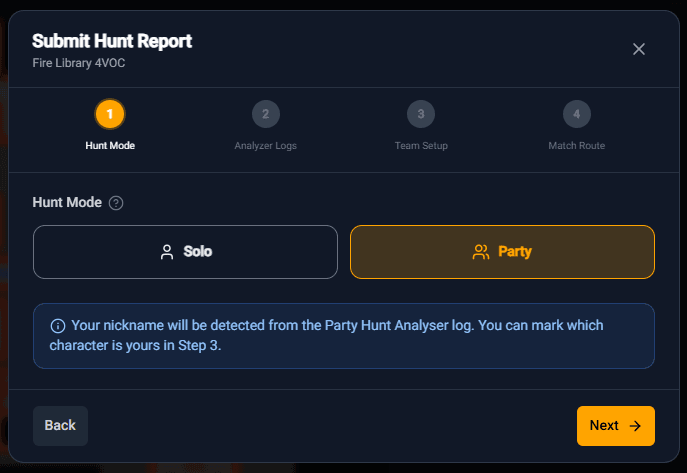
Select whether your session was Solo or Party, then pick your character from the dropdown. Only characters synchronized with tibia.com are available. In Party mode, your nickname will be automatically detected from the Party Hunt Analyser log — you'll confirm which character is yours in Step 3.
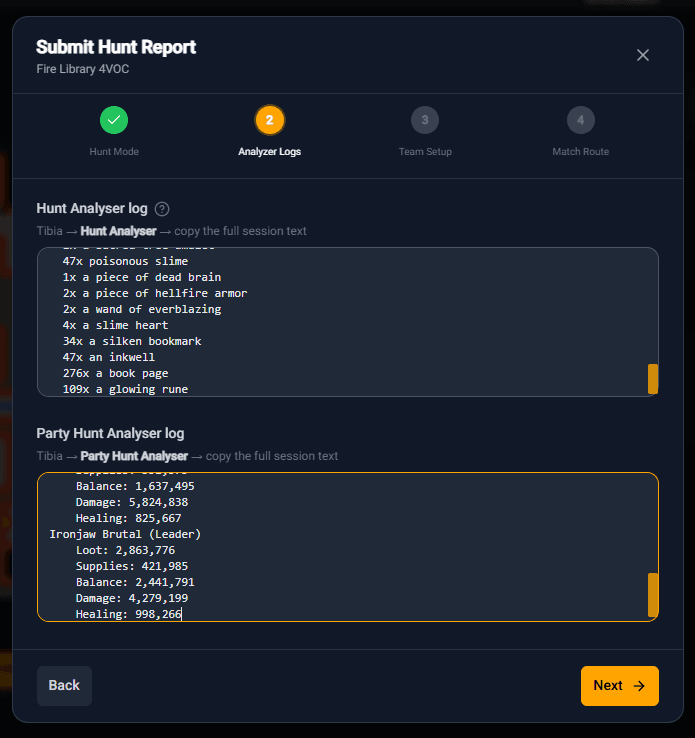 📋 Step 3 — Paste your Hunt Analyser log
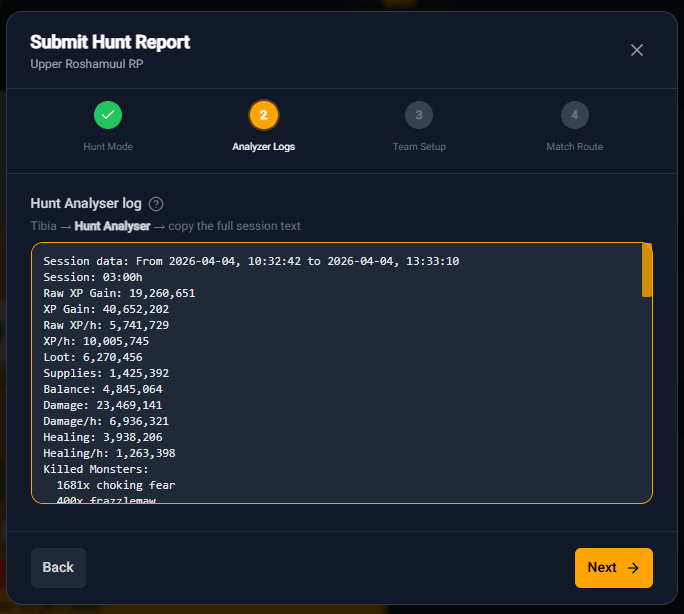
Open Tibia → Hunt Analyser, copy the full session text and paste it into the provided field. For Party hunts, paste both the Hunt Analyser log and the Party Hunt Analyser log — both are required so the system can correctly attribute stats to each team member. The system will automatically parse all key stats — XP/h, loot, balance, damage, healing and killed monsters.
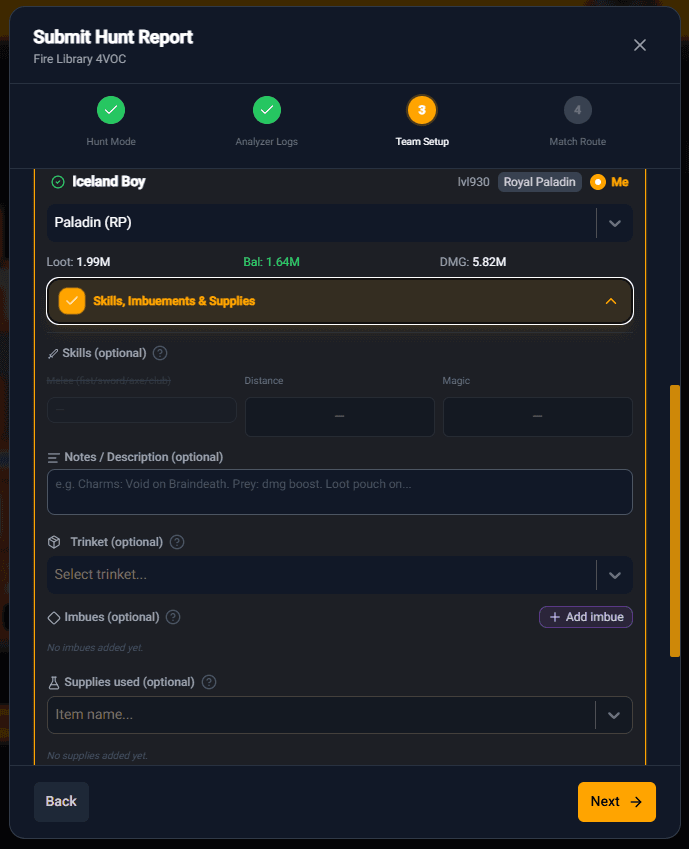
🛡️ Step 4 — Set up your Team & optional details
Review your character(s) detected from the log. For each team member you can optionally fill in: Skills (melee/distance/magic), Notes & Description (e.g. charms, prey, boost), Trinket, Imbues and Supplies used. The more details you provide, the more useful your report will be to others!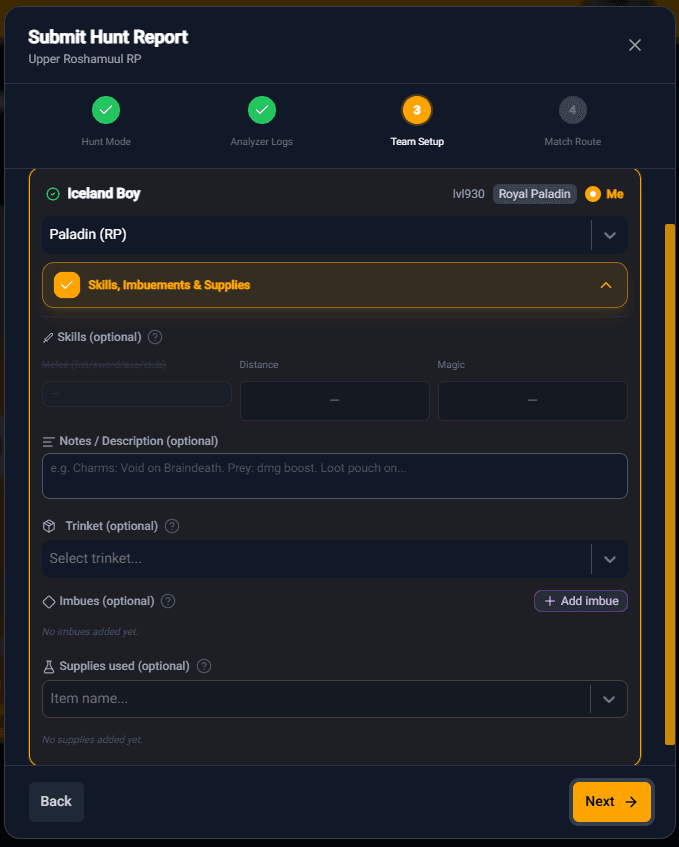
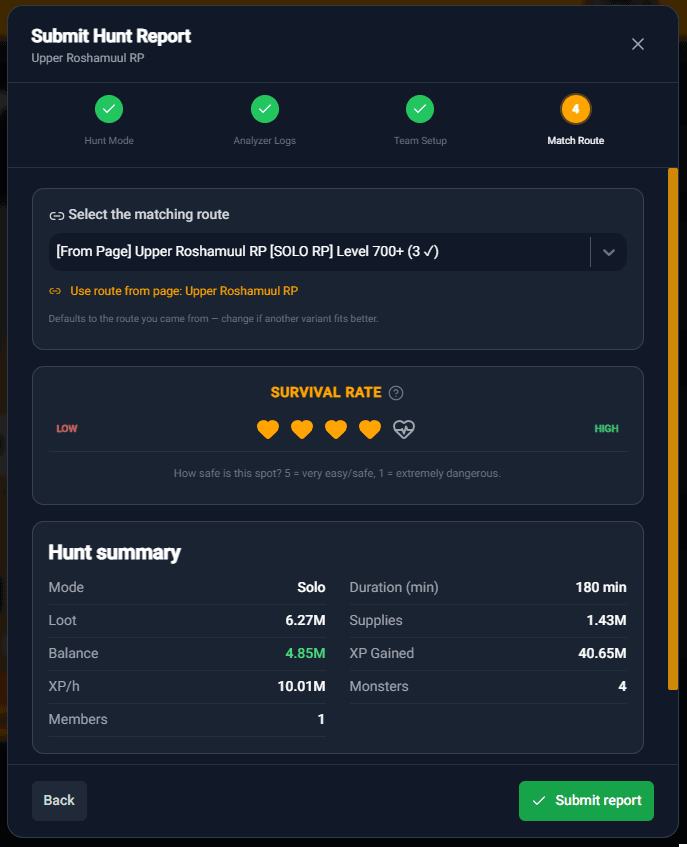
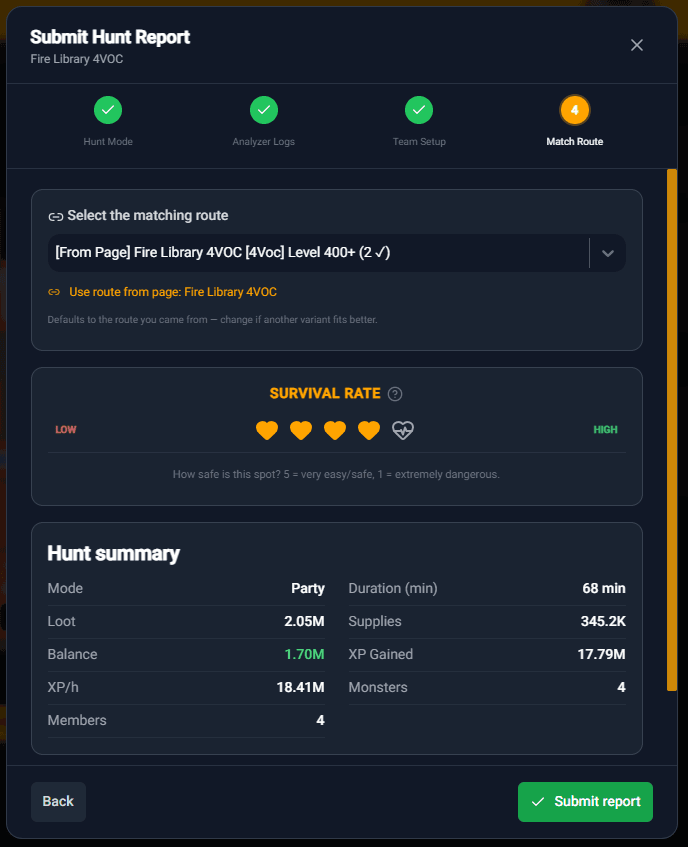 ✅ Step 5 — Match Route, rate Survival & submit!
Select the matching route (it defaults to the one you came from), rate the Survival Rate of the spot from 1 (extremely dangerous) to 5 (very safe), and review your full Hunt Summary — mode, duration, loot, balance, XP/h and monsters killed. Everything looks good? Hit Submit report!
Where do approved reports show up?
📊 Community Hunt Reports
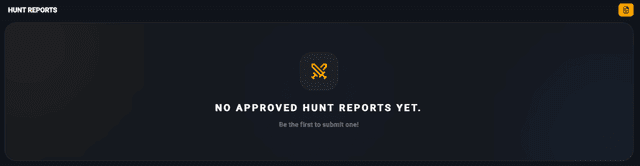
Once approved by an admin, your report appears in the Hunt Reports section at the bottom of the spawn page. Each report shows the hunt mode, survival rating, duration, balance, XP/h, damage, healing, supplies and the full list of monsters killed. Spots with at least one approved report display a Reports badge on their card in the Hunting Places list — so you can instantly spot which locations have real community data!
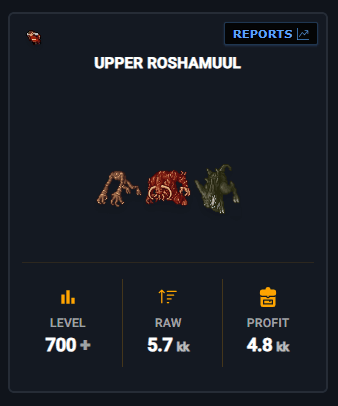 🏷️ Reports Badge on Hunting Cards
Spawn cards in the Hunting Places list will now display a Reports badge whenever at least one approved report is available. At a glance you can see which spots already have real, community-verified hunt data waiting for you!
Every report you submit makes TibiaRoute a better tool for the whole community. Whether you're a solo grinder or a party hunter — your data matters. Go hunt, copy your logs, and help us build the most reliable Tibia hunting database out there!
Happy hunting, and may the loot be plentiful! 🧡
See you on the map,
Your TibiaRoute Team 🧡