HUSHWELL ASYLUM
CONFIDENTIAL CASE NOTE
Patient: Walton
Attending Psychiatrist: Dr. Men'Rique Man-Derson
Diagnosis: Acute man-ia, obsessive delusions, severe men-tal instability
Another sleepless night at Hushwell Asylum. The burdens of a distinguished psychiatrist are truly men-dless! Even in the privacy of my study chamber, some of the troubled minds entrusted to my care men-danger every moment of solitude I may hope to find there. Especially my patient next door is a men-igma.
Walton. A most fascinating case of men-tal deterioration. Almost man-noying, I dare say.
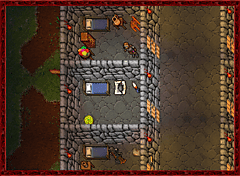 For several nights, I have conducted extensive examinations through the wall separating us. Its regrettable lack of thickness has proven remarkably advantageous for my auditory observation, although my much-needed rest has taken quite the toll.
The patient exhibits a pathological fixation on vermin, rats in particular, accompanied by recurring delusions about a secret conspiracy. His nocturnal monologues concern an entire civilisation of rats, allegedly preparing to exact revenge upon humanity. He frequently refers to a city of rats hidden beneath a men-hir in the Thaian sewers - Rattica, I presume - and expresses considerable agitation over the fact that thousands of unsuspecting wayfarers have passed its entrance without noticing.
What a remarkable man-omaly! Not the city, mind you. Rattica is a perfectly respectable establishment, yet hardly a subject worthy of scientific inquiry. For illustrative purposes, I have enclosed a few pictures painted by an attendant during my last summer sojourn there. Admittedly, the stench rising from the Underbelly can be quite overpowering, but quality cheese demands sacrifice. I must concede that the political climate has become considerably less palatable lately. The extravagant ambitions of its current ruler are becoming a matter of concern, even among the more distinguished members of society.
But I digress. Personal observations must not interfere with my professional objectivity.
Walton's conviction that rats harbour sinister intentions towards mankind is a textbook example of persecutory delusion, as described in even the most elementary men-cyclopedia. Granted, relations between rats and humans have never been particularly men-chanting, largely due to the disagreeable disposition of the latter. Centuries of persecution, exploitation and not to mention the barbaric practice of baiting murderous contraptions with perfectly good cheese, have hardly encouraged mutual affection.
The patient's latest mumblings, however, warrant attention. He claims to have developed an artificial musk capable of deceiving the highly sensitive olfactory organs of rats, thus enabling humans to infiltrate Rattica without detection. This revelation necessitates a thorough reconsideration of my initial diagnosis. Furthermore, Walton has repeatedly expressed his intention to disclose the formula to mad-venturers man-venturers. What initially appeared to be a delusion of persecution may, in fact, constitute a deliberate attempt to conceal hostile intentions.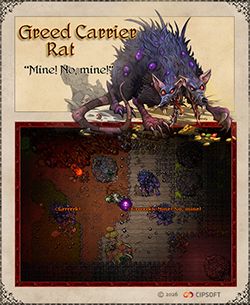
The patient's incessant warnings could serve as a means of recruiting accomplices, while his apparent instability provides a convenient disguise. I smell a sophisticated form of man-ipulation here!
Revised Diagnosis: Suspected conspiratorial behaviour, aggravated obsession, acute men-danger to public safety. No known man-tidote.
I must inform Director Lemuel of my findings without delay. Regrettably, my repeated requests for a professional consultation have been dismissed with one flimsy excuse after another. I am still confined to my study chamber, deprived of the opportunity to fulfil my medical duties.
Such conduct is a disgrace to the psychiatric profession! I shall not men-dure this treatment any longer. A formal appeal shall be drafted post-haste!
Dr. Men'Rique Man-Derson
Distinguished Psychiatrist, Scholar of Man-atomy
Addendum: My request for a key to my study chamber has been rejected. Again. I have consequently initiated a confidential investigation into the professional qualifications of the attending staff. Their reluctance to cooperate is, in itself, a most revealing symptom. Further observation is man-datory.
Upcoming next: What a gem!
| Content Teaser 2/2 | Feature Teaser 2/3 |


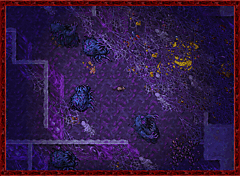

 Soon, this will spare Tibians the tedious task of having to reopen their stash after a visit to the Market. Thanks to Georgia's genius, closing the Market after accessing it from the stash will bring them right back to where they started, with their stash sorting, filters, and search settings just as they left them.

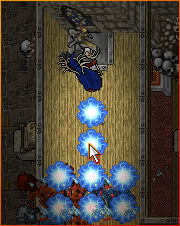 Their tremendous discovery allows Tibians to cast these spells towards their cursor position, even without an actual target. When aiming diagonally, however, the spell will be cast either west or east. Even magic has limits, dear readers.


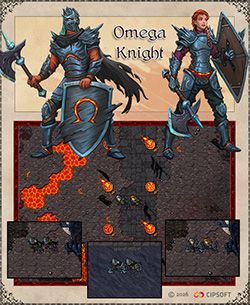
 Fortunately, being the ever-industrious adventurer I am, I've come up with a business, I mean, a remedy for this peculiar ailment. Spread the word: Visit Emael at the Adventurers' Guild, and he'll gladly exchange 20 lesser proficiency catalysts or 4 proficiency catalysts for one greater proficiency catalyst. Same proficiency XP, fewer clicks, so your hands may live to fight another day!
 today's server save, we have implemented the following fixes and changes: