Hello tibians!
This is one of the biggest updates in TibiaRoute history. We've rebuilt the character progress system from the ground up, launched an Event Calendar with a forecast of upcoming bonuses, and our very own fansite item has landed in the game - the Wayfinders Backpack! On top of that, there are a few smaller improvements you'll notice on the site right away.
✨
Fansite item
The Wayfinders Backpack is now in the game!
You see a Wayfinders Backpack.
It weighs 213.70 oz.
You see a backpack full of stories, awarded
by TibiaRoute.com.
Our official fansite item is now live in Tibia - a backpack full of stories, with TibiaRoute.com signed right in its description. It's a huge honour for us and one more proof that together we're building something truly special 🧡
🏆
How to get it? The Wayfinders Backpack will be a prize in our upcoming
Fansite Contests. Keep an eye on our news and our
Discord so you don't miss the start!
📈
Character progress - completely rebuilt
Everything about your character in one place
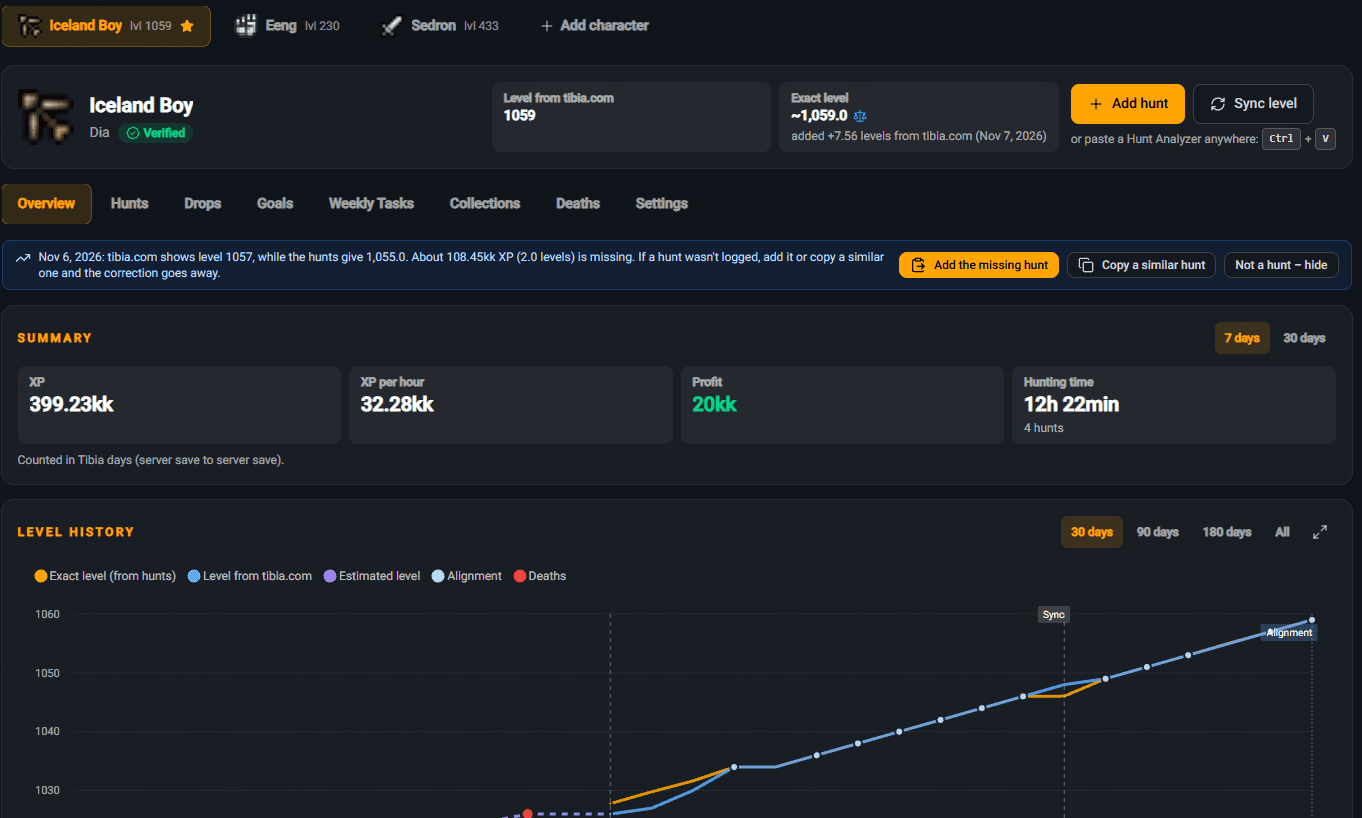
The progress system got a full makeover. Every linked character now has its own progress panel split into tabs - from an overview, through your hunt and drop history, all the way to goals, weekly tasks, collections and deaths. You can add several characters and switch between them with a single click.
🏠 Overview - your whole character on one screen
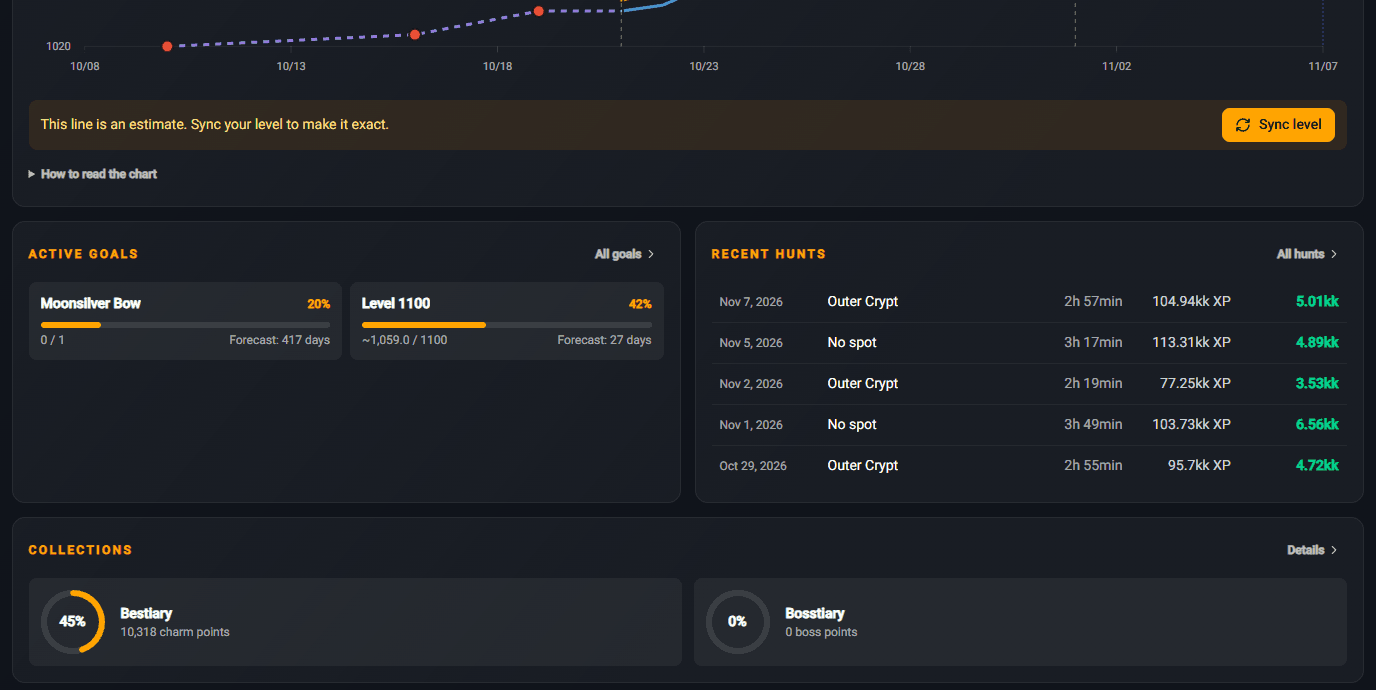
A summary of the last 7 or 30 days: XP gained, XP/h, profit and time spent hunting. The level history chart shows your exact level calculated from your hunts next to your level from tibia.com, with deaths marked in red. If the site notices a hunt is missing, it'll tell you how much XP doesn't add up - then you can add the missing hunt or copy a similar one with a single click. Further down you'll find your active goals, latest hunts and collection progress.
💡 The fastest way to add a hunt: copy your Hunt Analyser in game and hit Ctrl + V anywhere on the panel.
➕ Adding a hunt - three ways to do it
Click Add hunt or simply paste your Hunt Analyser anywhere on the site - the window will pop up on its own. You've got three modes to choose from:
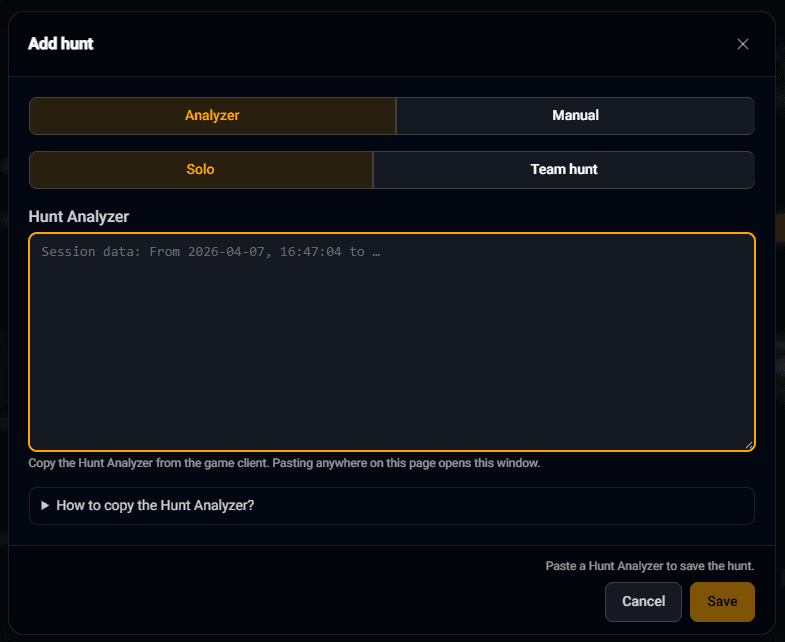
🧍 Analyzer - Solo
Paste the Hunt Analyser from the game client and you're done. Not sure how to copy it? Expand the How to copy the Hunt Analyzer? hint.
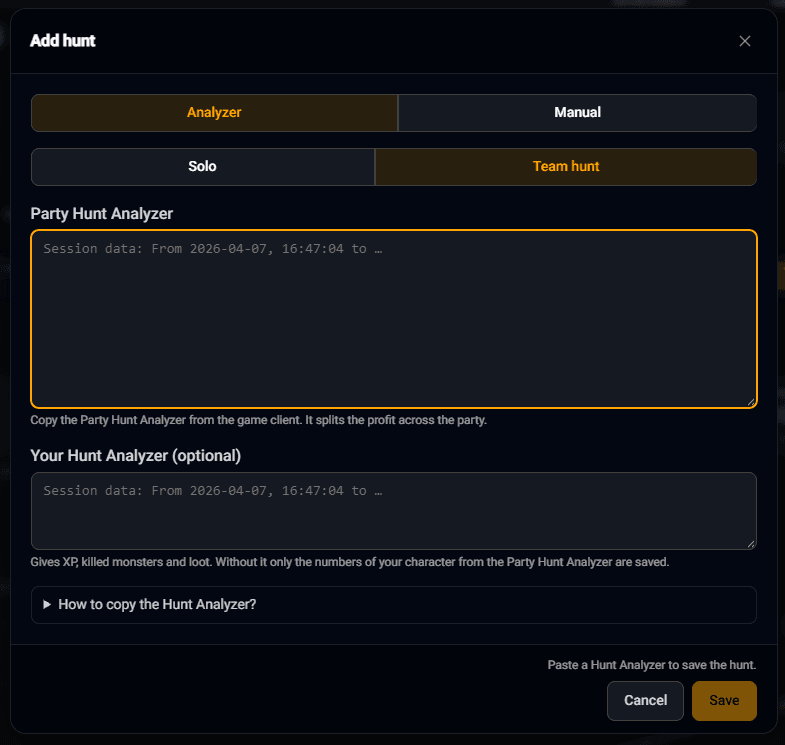
👥 Analyzer - Team hunt
Paste the Party Hunt Analyser - the profit gets split across the whole team, and the site will figure out which party member you are by itself. You can also throw in your own Hunt Analyser (optional) to save your XP, killed monsters and loot.
✍️ Manual
No log? Enter the hunt by hand: date, time, duration, XP, balance, spot, extra costs and notes. You can type numbers the Tibia way - 150k or 1.5kk - and the profit calculates itself.
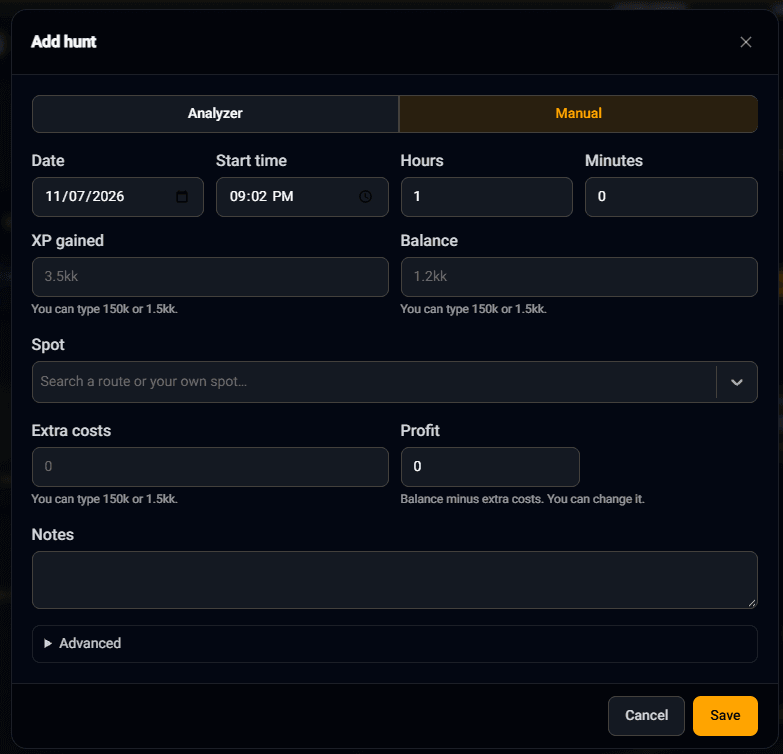
🔍 Preview before saving
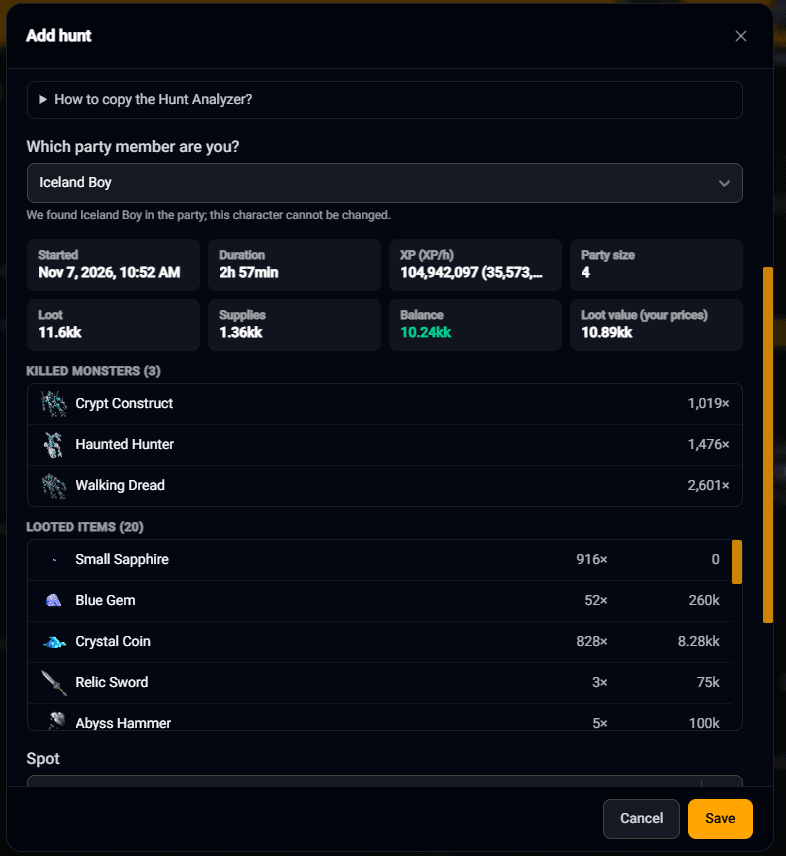
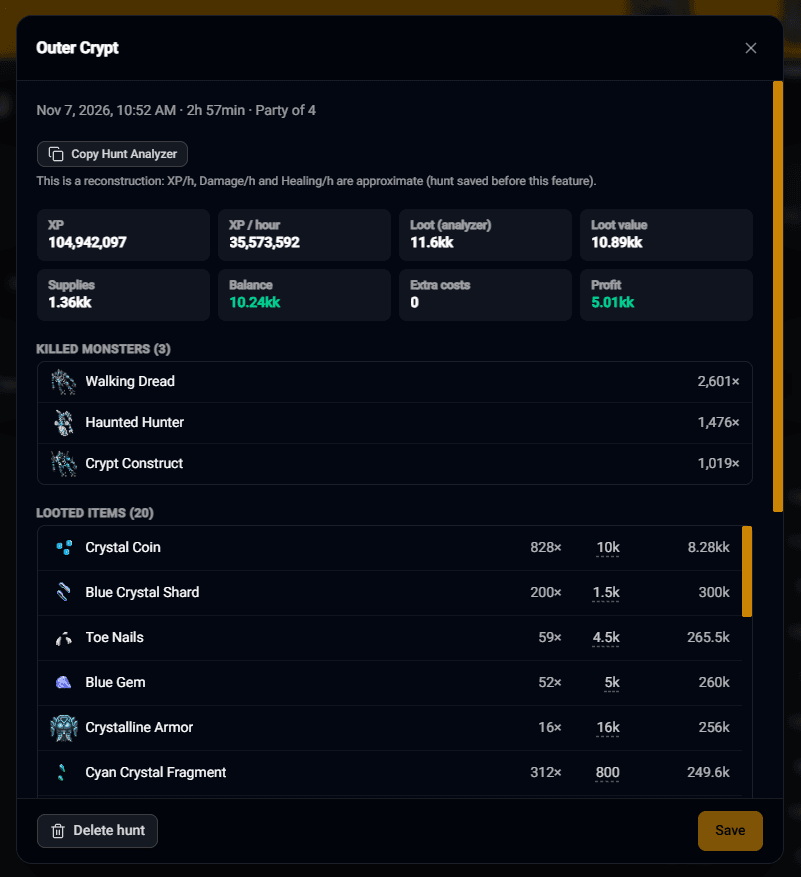
Before you save a hunt, you'll see its full summary: time, XP and XP/h, party size, loot, supplies, balance and the loot value based on your own prices. Below that there's a list of killed monsters and looted items.
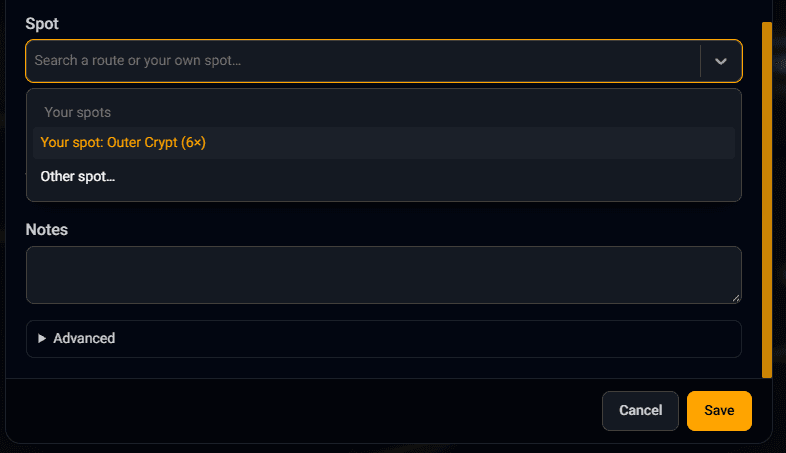
Finally, you pick the spot - one of the TibiaRoute routes or your own. The site remembers your favourite spots and suggests them at the top of the list, along with how many hunts you've done there.
⚔️ Hunts - your hunting history
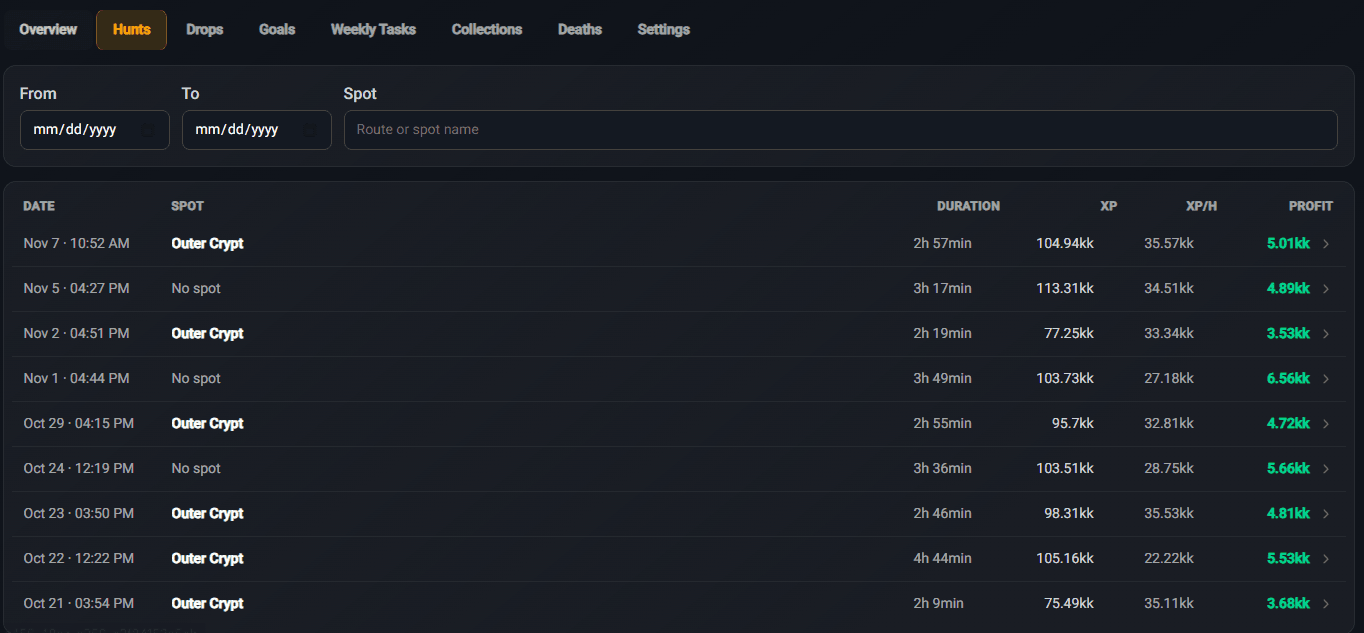
All your hunts in a clean table: date, spot, time, XP, XP/h and profit. You can filter them by date and spot name. Click a hunt to see the full details - loot, supplies, balance, killed monsters and a list of looted items with their value.
The original log doesn't get lost either - the Copy Hunt Analyzer button rebuilds it in case you want to paste it somewhere else again.
💎 Drops - what you kill and how much
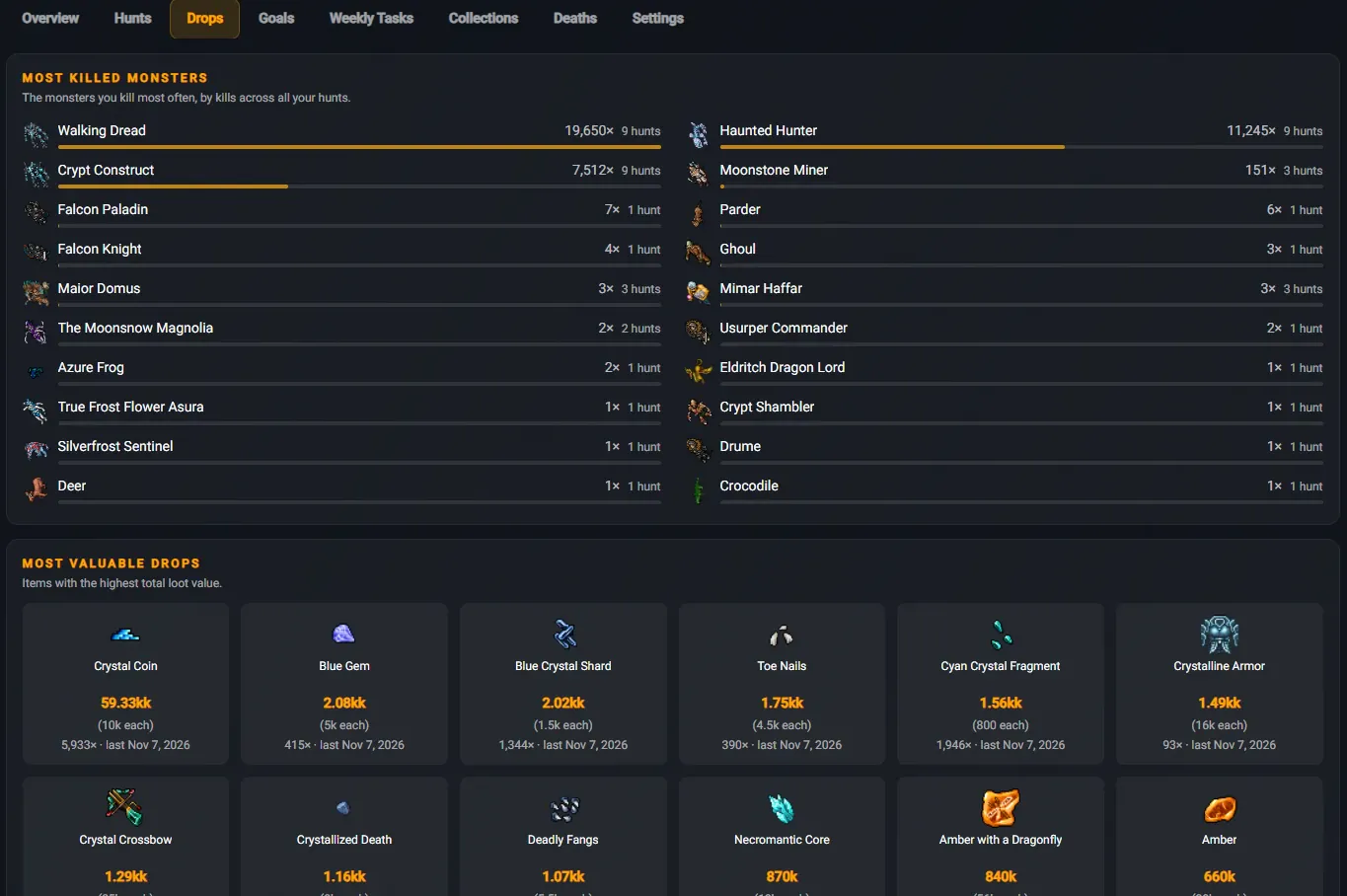
A breakdown across all your hunts: most killed monsters (kill count and in how many hunts) and most valuable drops - total value, price per item, how many times they dropped and when you last got one. You can see right away what's actually making you money on your hunts.
🎯 Goals - goals with a forecast
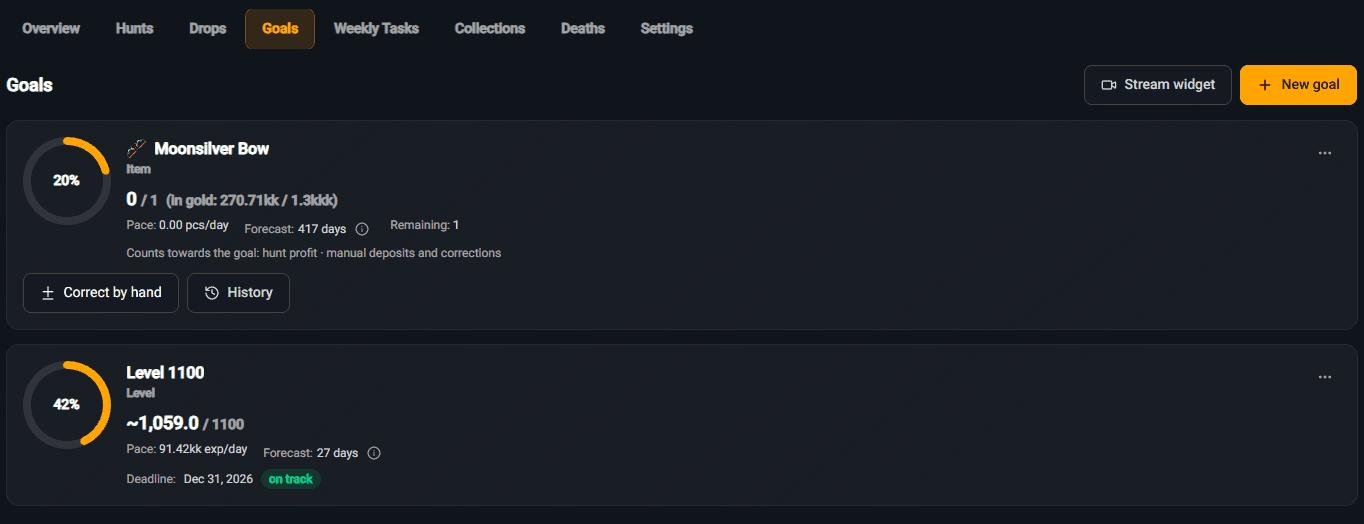
Set what you're working towards - a specific item, a level, a gold savings target and much more. The site calculates your pace based on your hunts and gives you a forecast of how many days it'll take to reach your goal. You can add a deadline too - then you'll see whether you're on track. Progress can also be adjusted manually, and the full change history is always at hand.
Goals you can set
Hunting and economy
📈 Level
💰 Gold
📦 Item
⚔️ Kills
Bestiary / Bosstiary
📖 Bestiary
💀 Bosstiary
✨ Charm points
👑 Boss points
Weekly Tasks
✅ Completed tasks
🏅 Hunting Task Points
🎯 Bounty Points
💠 Soulseals
📅 Week difficulty
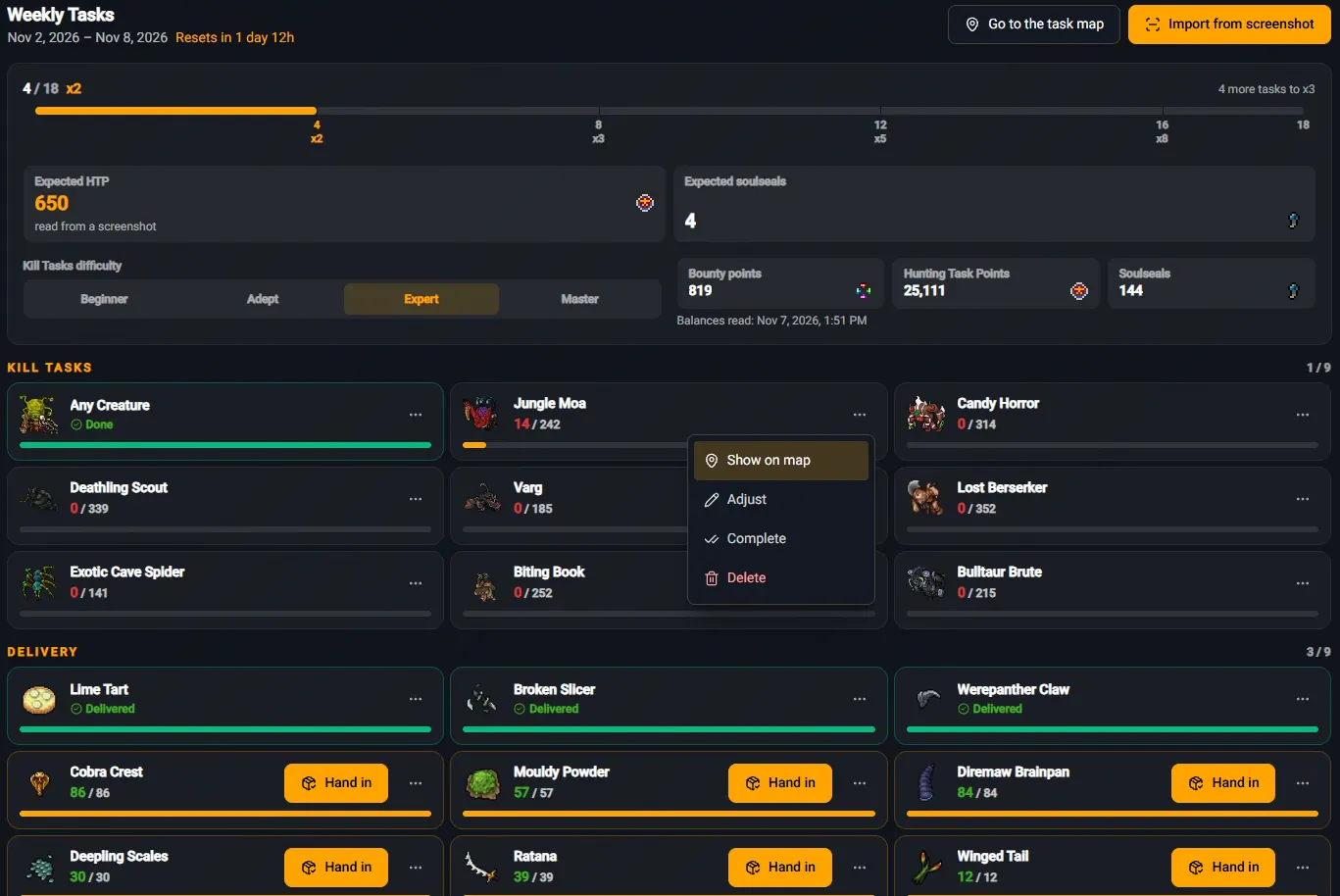
📋 Weekly Tasks - straight from a screenshot to the map
No need to type your tasks in by hand. A screenshot from the game is all it takes - the site does the rest:
1
Click Import from screenshot and upload a screenshot of your task window.
2
The site reads your kill tasks, deliveries, difficulty level and your points (HTP, Bounty, Soulseals).
3
Click Show on map and instantly see where to find the monsters and items.
The progress bar shows how many tasks you still need for the next reward multiplier (x2 → x3 → x5 → x8), and you can mark any task as done, edit it or remove it.
🗺️ Your tasks on the Task Delivery Map
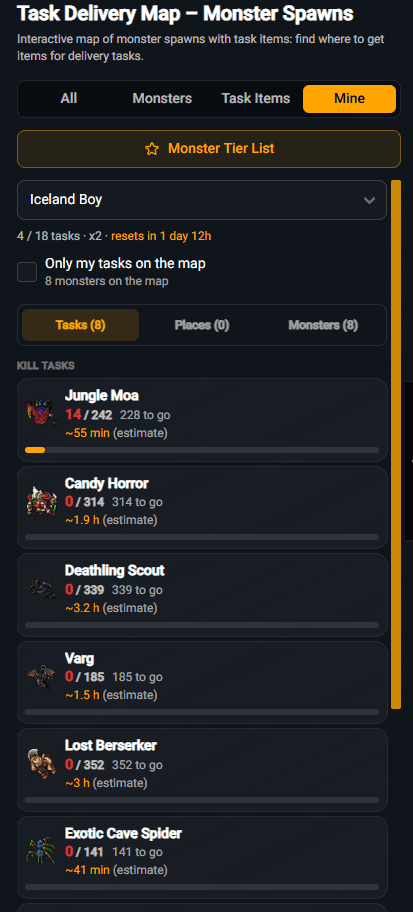
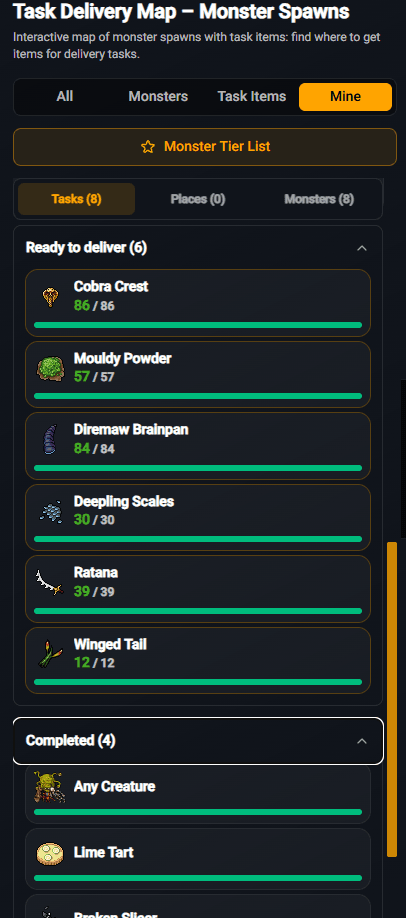
The
Task Delivery Map now has a
Mine tab. Pick your character and see only your own tasks - with the number of monsters left and the
estimated time needed to kill them. Items ready to hand in go to the
Ready to deliver section, and finished tasks to
Completed. The
Only my tasks on the map option leaves just what you're looking for on the map.
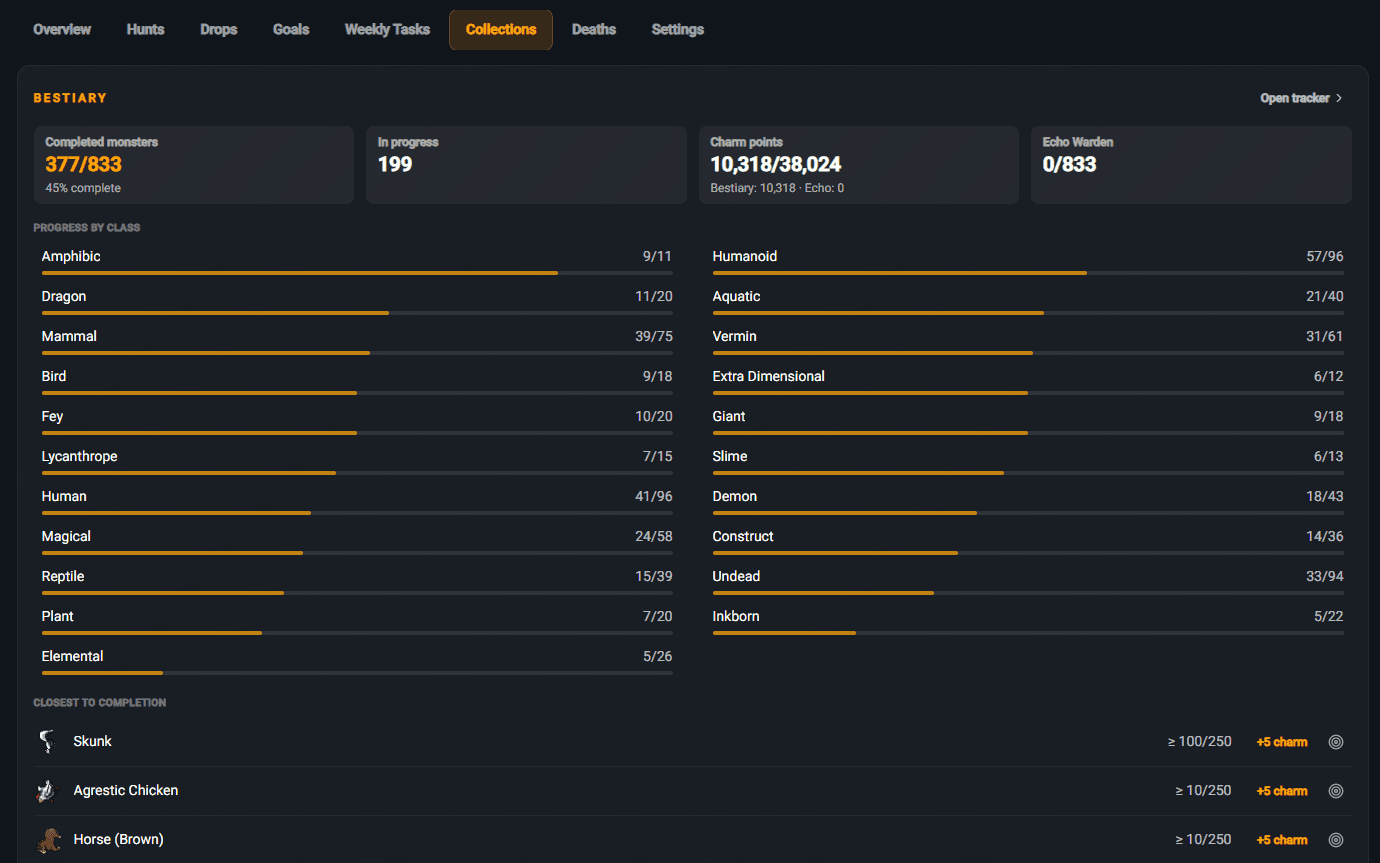
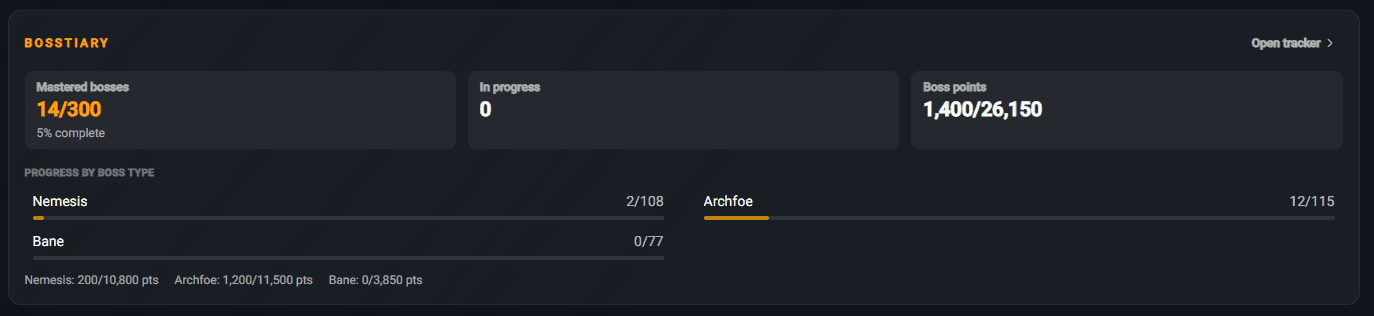
📖 Collections - Bestiary and Bosstiary
The Bestiary view is now much clearer: completed creatures, charm points, progress in every class and a list of the creatures closest to completion. Right next to it there's a brand new Bosstiary - mastered bosses, boss points and separate progress for Nemesis, Archfoe and Bane.
NEW
👑 Bosstiary Tracker
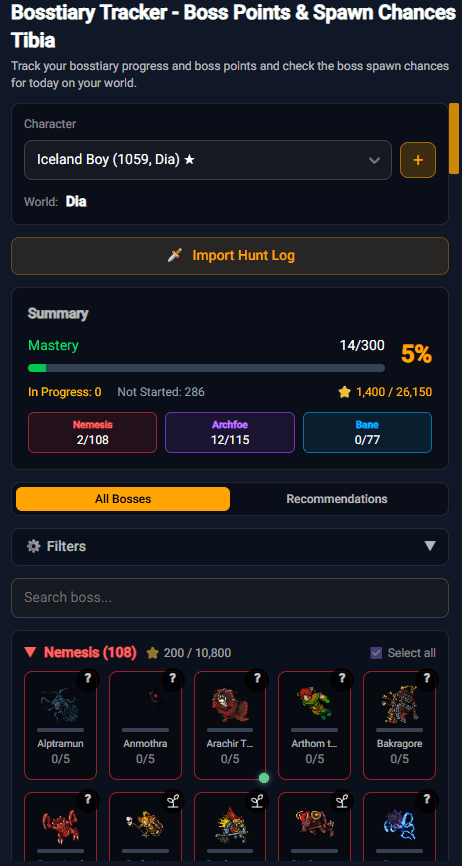
A brand new tool: track your Bosstiary progress and boss points, and while you're at it, check today's boss spawn chances on your world. You can fill in your progress by importing a hunt log, and the Recommendations tab will tell you what to go for first.
☠️ Deaths - death statistics
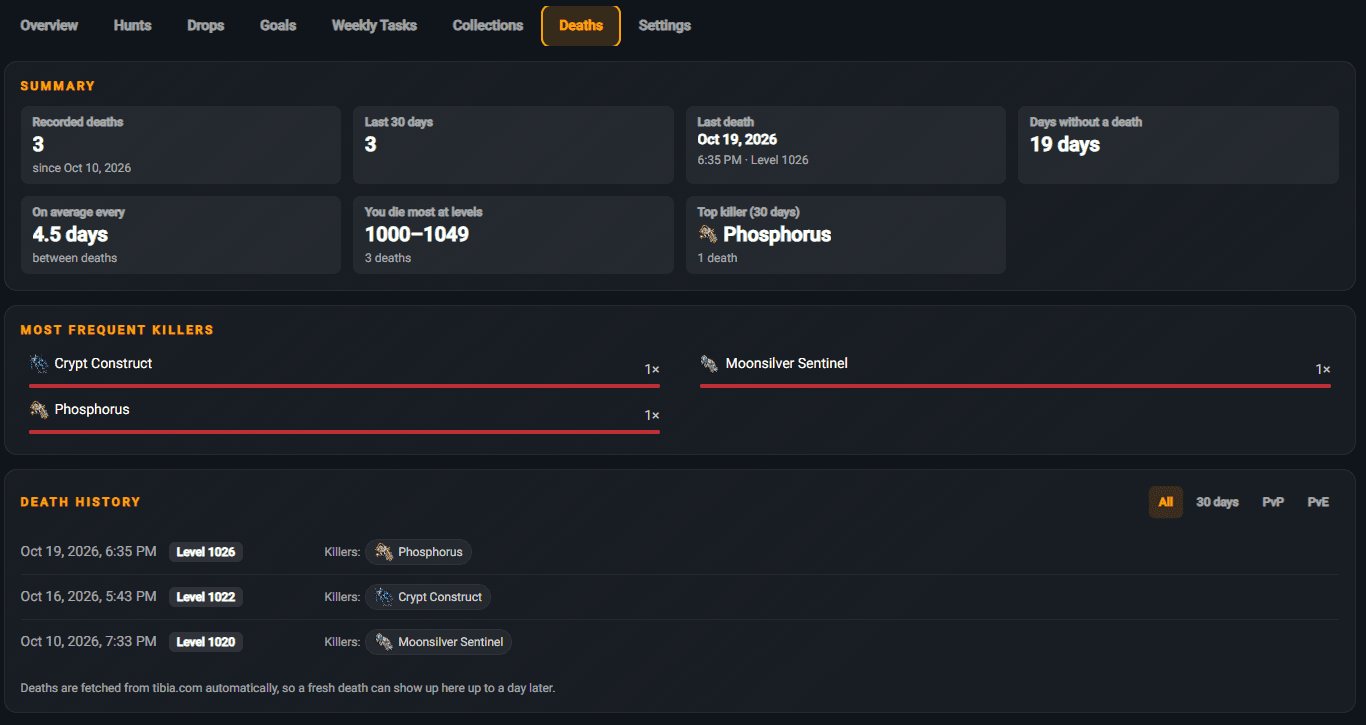
We pull your deaths automatically from tibia.com. You'll see how often you die on average, at which levels it happens most, who your top killer is and how many days it's been since your last death. You can filter the history by PvP and PvE.
📅
Event Calendar with a forecast
When's the next Double XP? Find out before CipSoft announces it
The new
Event Calendar gathers all events from the last 90 days and for the year ahead: Double XP, Double Skill, Rapid Respawn, Full Moon, seasonal events and plenty more. You can
search them and
filter by type, and below the calendar you'll find a list of events for the selected month.
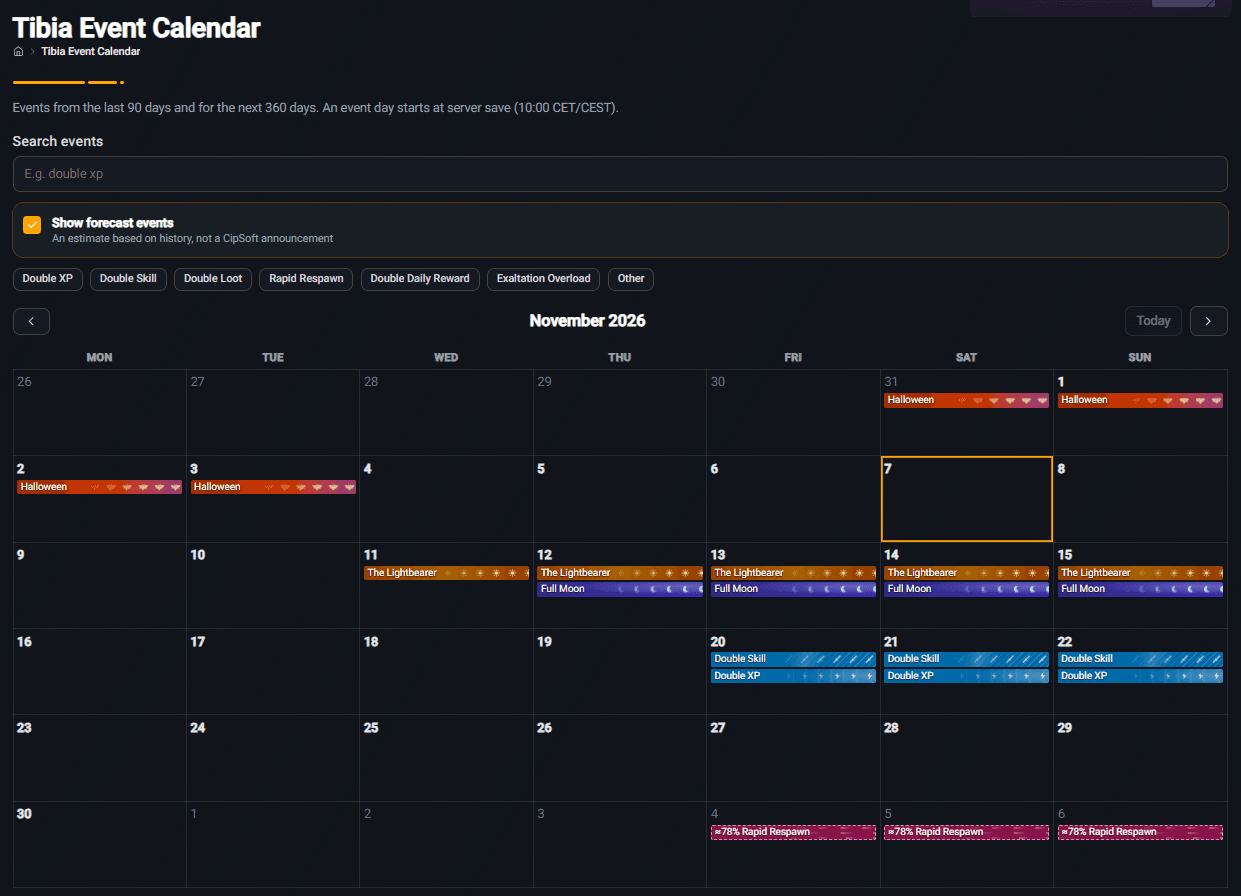
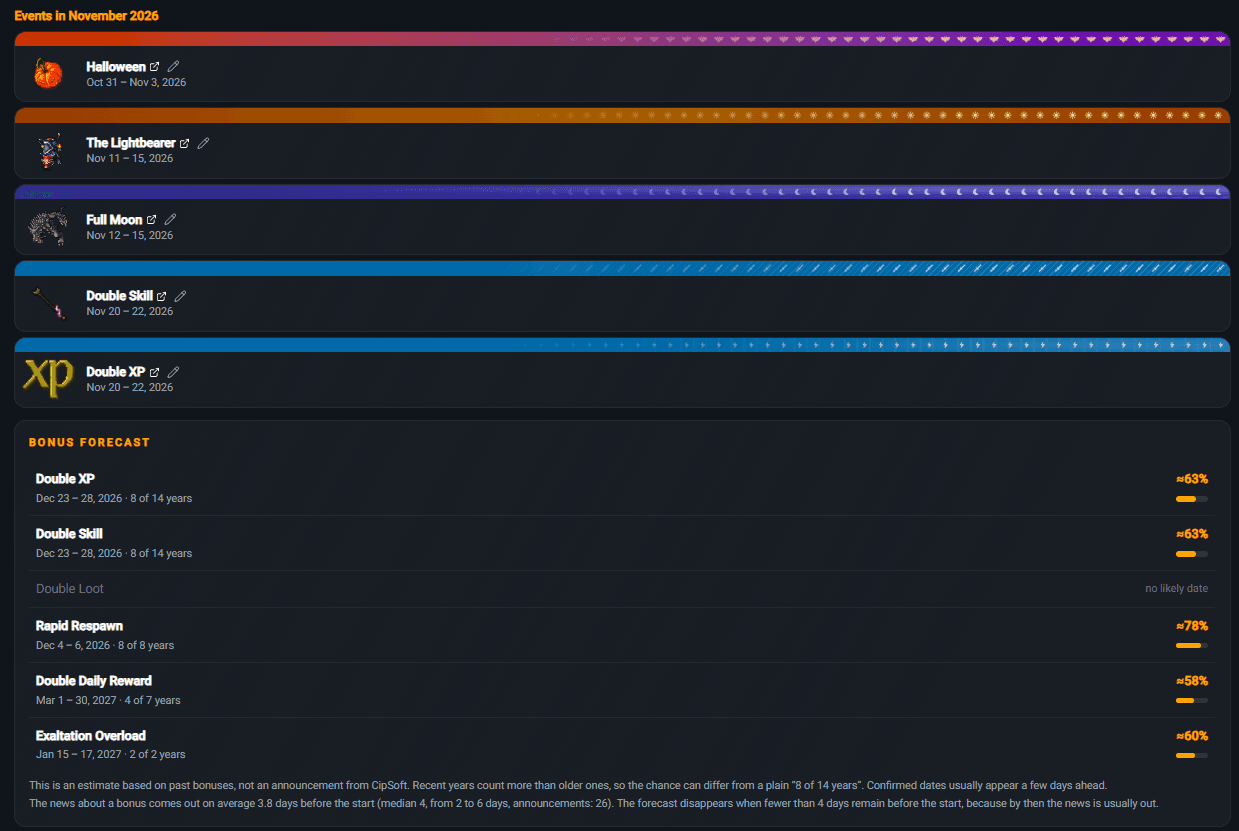
The most exciting part is the bonus forecast. Based on the history of previous years, we calculate when a given bonus is most likely to come back and how likely it is. Forecasted events are marked in the calendar with a dashed border. Here's what the forecast looks like at the time of writing:
Bonus forecast
Rapid Respawn · Dec 4-6, 2026 · 8 of 8 years≈78%
Double XP · Dec 23-28, 2026 · 8 of 14 years≈63%
Double Skill · Dec 23-28, 2026 · 8 of 14 years≈63%
Exaltation Overload · Jan 15-17, 2027 · 2 of 2 years≈60%
Double Daily Reward · Mar 1-30, 2027 · 4 of 7 years≈58%
⚠️ This is an estimate based on past bonuses, not an announcement from CipSoft. Recent years count more than older ones. Bonus news usually comes out 3.8 days before the start on average, so the forecast disappears once there are fewer than 4 days left until the event - by then the official dates are usually out.
✨
Small improvements
Little changes that make a big difference
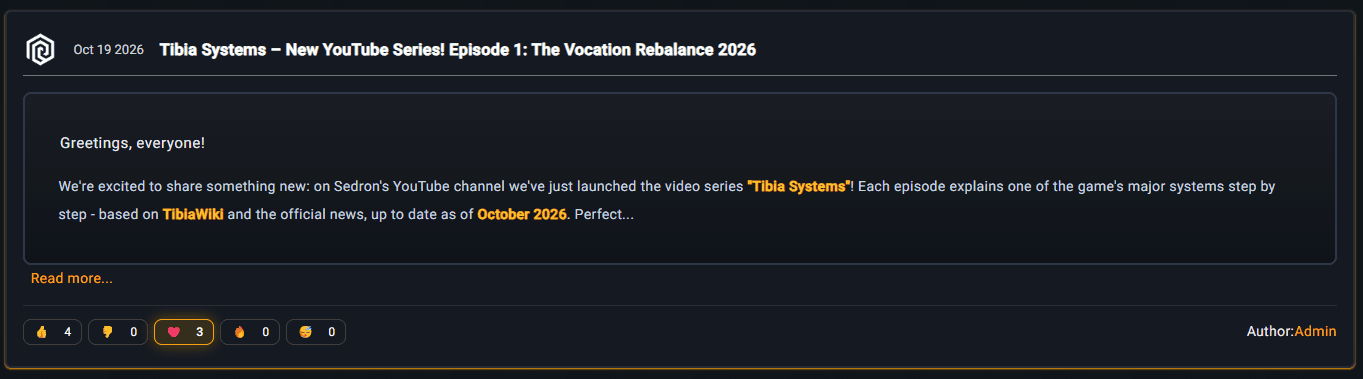
❤️ Reactions on news posts
You can now leave a reaction under every post on TibiaRoute: 👍 👎 ❤️ 🔥 🥳. Let us know what you like - it's a great hint for us on where to take the site next!
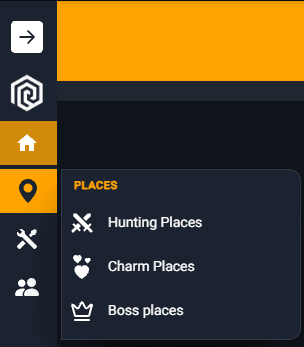
🧭 Refreshed side menu
Submenus now slide out next to the button instead of below it. Nothing jumps around, and getting around the site is faster and more comfortable.
We've been working on the new progress system for a really long time and we're very proud of it. Link your characters, add a few hunts, set your first goal - and let us know what you think in the reactions under this post or on our Discord. Your feedback is what keeps us going!
Happy hunting, and may the Double XP forecast come true! 🧡
See you on the map,
Your TibiaRoute Team 🧡